
Does This Sound Familiar?
You sit down at your desk with ambitious plans to crush three major tasks today. But by 6 PM:
- Documents scattered across five different apps—now lost in the void
- A 60-minute meeting ended with zero notes taken
- Your brain feels like scrambled eggs from information overload
After three years of remote work experimentation, I’ve tested dozens of productivity tools so you don’t have to. Here are five battle-tested tools that genuinely moved the needle—all free or budget-friendly.
1. Notion — Your Second Brain
The Problem: Information silos, chaotic knowledge management
Before Notion, my notes lived everywhere: WeChat favorites, Apple Notes, Google Docs, physical notebooks. Finding anything felt like archaeological excavation.
Why Notion Wins:
- Unified workspace: Notes, tasks, and databases coexist in one flexible system
- Template ecosystem: Battle-tested frameworks ready to deploy
- Seamless collaboration: Real-time editing that actually works
My Personal Workflow:
- Morning Dashboard: Daily three priorities + inspiration capture
- Kanban Projects: Visual pipeline from “To-Do” → “In Progress” → “Shipped”
- Knowledge Wiki: Topic-based organization with powerful tagging
💡 Pro Tip for Beginners: Resist the urge to build a complex system. Start with a simple daily planner template and evolve organically.
2. Raycast — The Mac Power User’s Secret Weapon
The Problem: Excessive clicking, app-switching fatigue, workflow friction
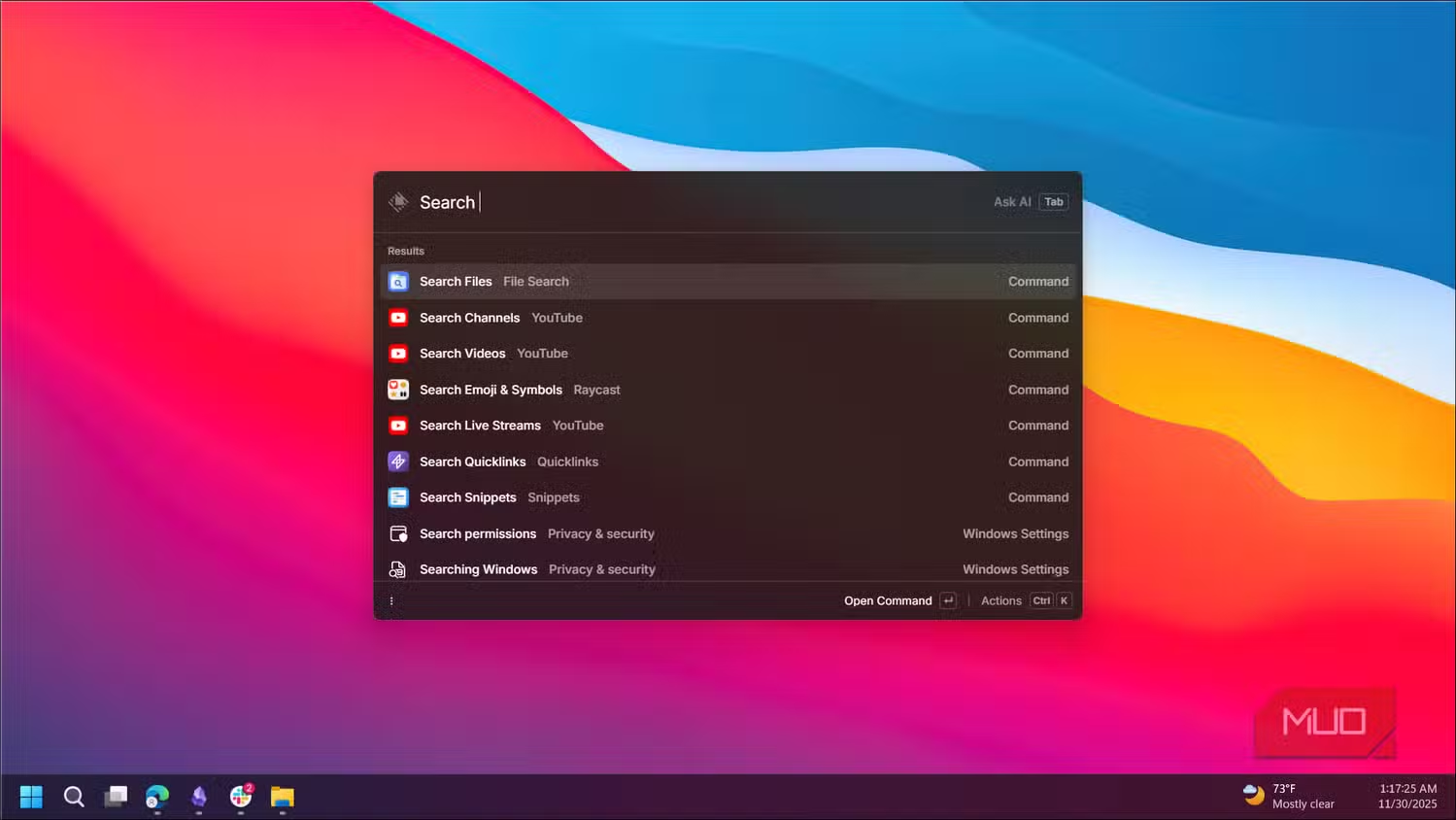
Remember the old way? Open Finder → Navigate folders → Locate file. Now: Option + Space → Type filename → Instant access.
Raycast’s Superpowers:
- Lightning-fast app and file launching
- Clipboard history (rescue that link you copied three copies ago)
- Window management (instant split-screen perfection)
- System commands (lock screen, mute audio, empty trash) without touching the mouse
- 1000+ extensions (weather, translation, GitHub shortcuts, Spotify control)
The Math: After one month, I counted 50+ fewer mouse clicks daily. Those micro-savings compound into hours reclaimed weekly.
⚠️ Platform Limitation: Currently Mac-only. Windows warriors should check PowerToys (Microsoft’s official toolkit) or Wox for similar functionality.
3. Obsidian — Knowledge Management for Serious Thinkers
The Problem: Isolated notes, no connection between ideas, write-and-forget syndrome
If you consume information but struggle to connect dots or retrieve insights months later, Obsidian is your answer.
The Competitive Edge:
- Bidirectional Linking: Mention Note A in Note B, and both automatically reference each other
- Local-First Storage: Your data lives on your device—no vendor lock-in, no privacy concerns
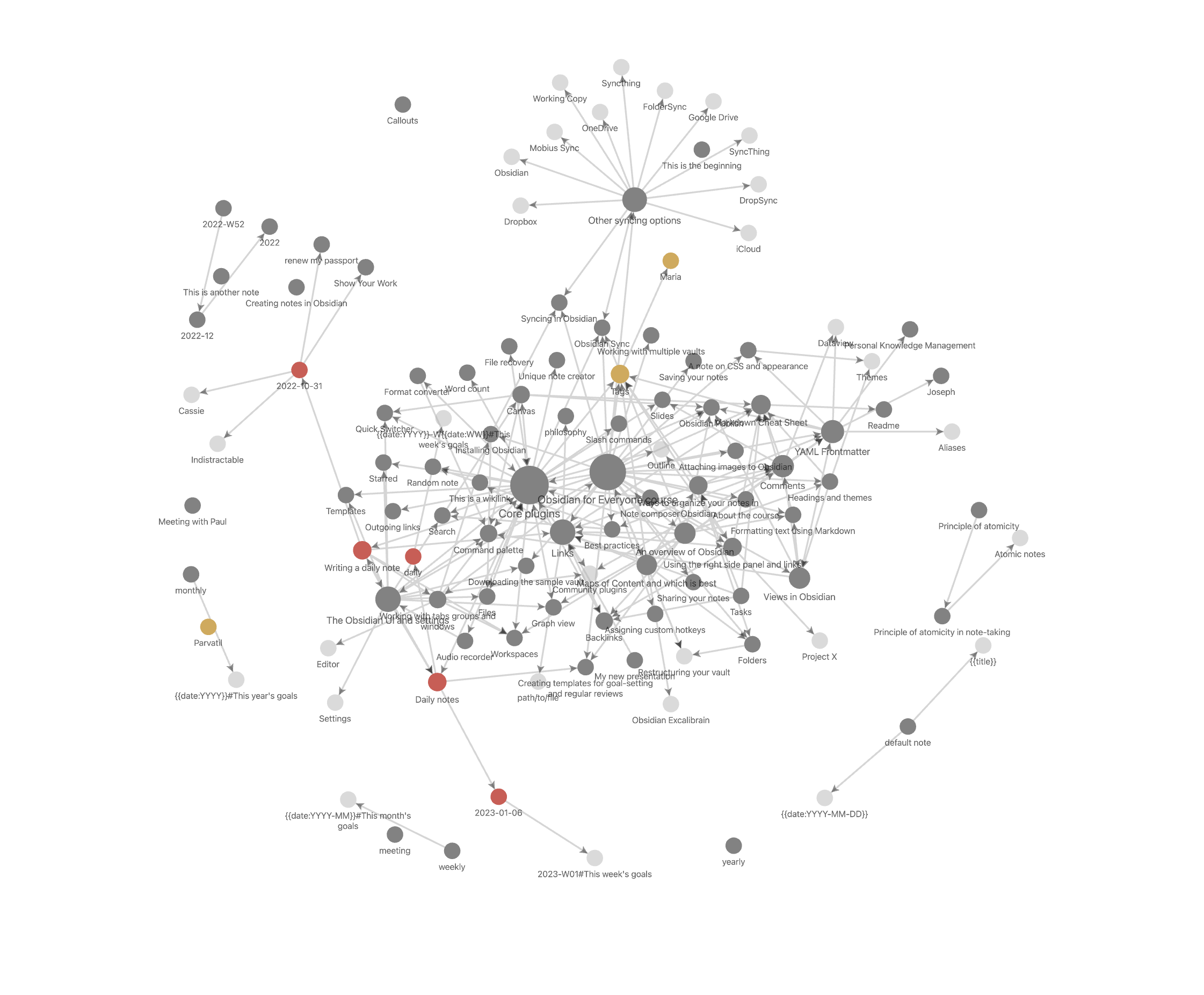
- Graph View: Visualize your knowledge as a neural network, revealing hidden connections
- Plugin Architecture: 500+ community plugins for every conceivable workflow
The Zettelkasten Method (My Adaptation):
- Fleeting Notes: Rapid capture of raw thoughts and ideas
- Literature Notes: Processed insights from books, articles, podcasts
- Permanent Notes: Distilled knowledge cards linked to related concepts
- Project Notes: Applied knowledge for specific deliverables
📌 Best For: Researchers, content creators, academics, and anyone building a personal knowledge base that compounds over time.
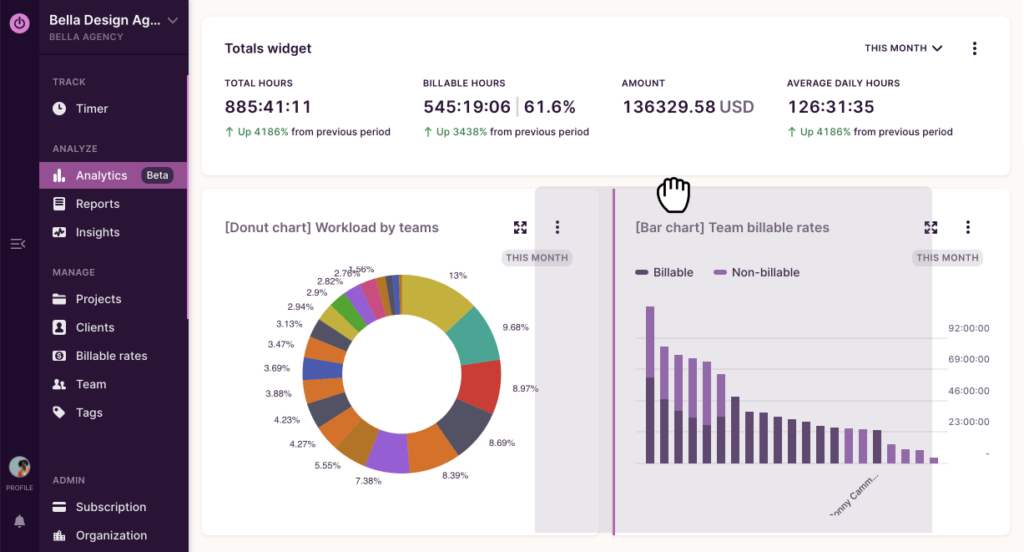
4. Toggl Track — Time Visibility = Power
The Problem: Time blindness, procrastination, “Where did my day go?” syndrome
That sinking feeling of busyness without accomplishment? Toggl exposes the truth with data.
Core Capabilities:
- One-Click Timing: Start/stop tracking with a single keystroke
- Smart Categorization: Organize by project, client, or task type
- Visual Analytics: Weekly and monthly breakdowns that reveal patterns
My Brutal Discoveries After One Year:
- My actual focused work was 30% less than I estimated
- “Quick” Slack checks and email responses consumed 2+ hours daily
- Meetings and context-switching ate my deep work blocks
Once you see the time leaks, you can’t unsee them. Awareness is the first step to intentionality.
💰 Pricing: Generous free tier covers solo users. Premium ($10/month) adds project budgets and team features.
5. Sunsama — Daily Planning as Ritual
The Problem: Overcommitment, priority confusion, abandoned planning systems
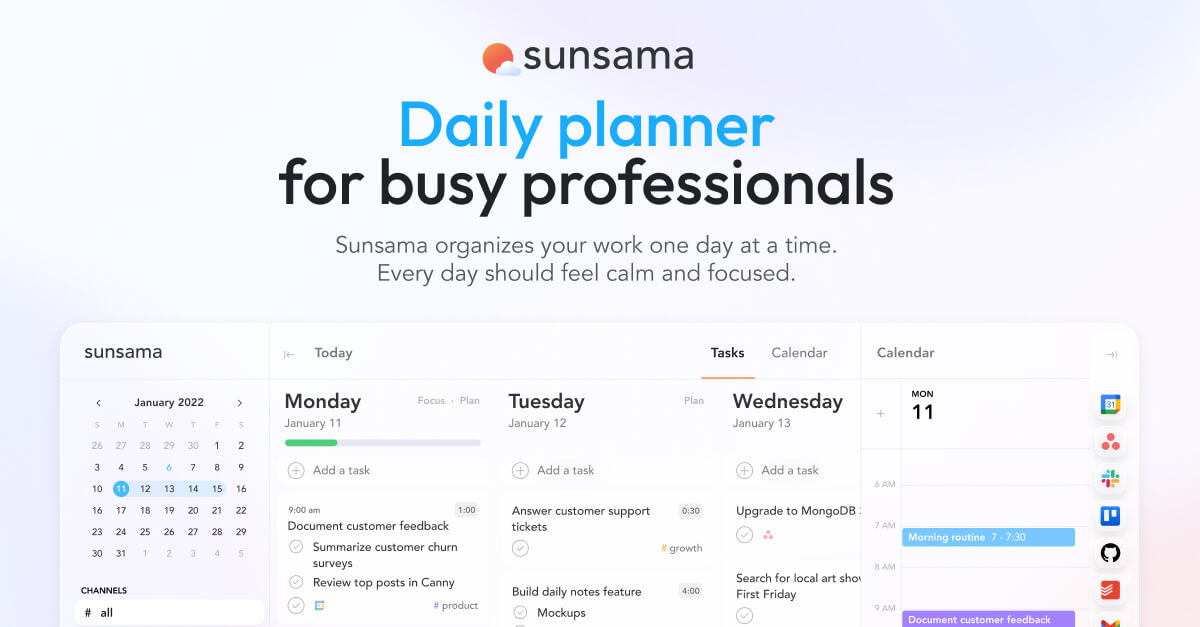
The newest addition to my stack, Sunsama rescued me from the anxiety of perpetually unfinished to-do lists.
Philosophy-Driven Design:
- Reality Check: You have 8 productive hours—stop planning for 12
- Daily Rituals: Structured morning planning and evening review create closure
- Focus Mode: Single-tasking interface that minimizes context-switching
- Weekly Perspective: Zoom out to ensure daily tasks align with weekly goals
My Daily Rhythm:
- 9:00 AM: Import tasks from email, Slack, and other tools
- 9:15 AM: Time-block estimates, ruthless prioritization
- 9:30 AM: Deep work sprints (25-minute Pomodoro cycles)
- 6:00 PM: Reflection—completion rate, obstacles, tomorrow’s adjustments
🎯 The Results: My plan completion rate jumped from 40% to 75%, and Sunday scaries became a thing of the past.
The Meta-Lesson: Tools Enable, Habits Sustain
Here’s the uncomfortable truth after years of tool-hopping:
Your productivity system is only as strong as your behavioral habits.
The tool stack that works for me might overwhelm you. Instead of downloading everything at once:
- Identify your biggest friction point (Is it focus? Organization? Time awareness?)
- Deploy one tool to solve that specific pain
- Build the habit for 30 days before adding complexity
- Iterate ruthlessly—abandon what doesn’t stick
The best productivity system is the one you’ll actually use.
Quick Reference Guide
| Tool | Solves | Best For | Pricing |
|---|---|---|---|
| Notion | Information chaos | Teams & individuals | Free tier sufficient |
| Raycast | Workflow friction | Mac power users | Free |
| Obsidian | Disconnected knowledge | Writers & researchers | Free (personal use) |
| Toggl Track | Time blindness | Freelancers & consultants | Free tier sufficient |
| Sunsama | Planning overwhelm | Remote professionals | $20/month |
Your Turn
What productivity tools are in your daily stack?
I’m always hunting for hidden gems—drop your recommendations in the comments. And if you found this useful, share it with that colleague who’s still struggling with remote work chaos.
Happy optimizing! 🚀
Frequently Asked Questions
Who is this guide for?
This guide is specifically designed for remote workers, home office users, and anyone spending 8+ hours at their desk. The recommendations are based on real-world testing in home office environments.
How were these products tested?
Each product was tested for at least 2 weeks in actual home office use. We evaluated comfort, durability, ease of use, and value for money. Products are only recommended if they genuinely improve the remote work experience.
Are these affiliate links?
Yes, this post contains Amazon affiliate links. If you purchase through these links, we earn a small commission at no extra cost to you. We only recommend products we’ve personally tested or researched thoroughly.
Related Resources
- More Product Reviews – Ergonomic tools for home office
- DeskLife Wellness – Office health and productivity tips